
 latent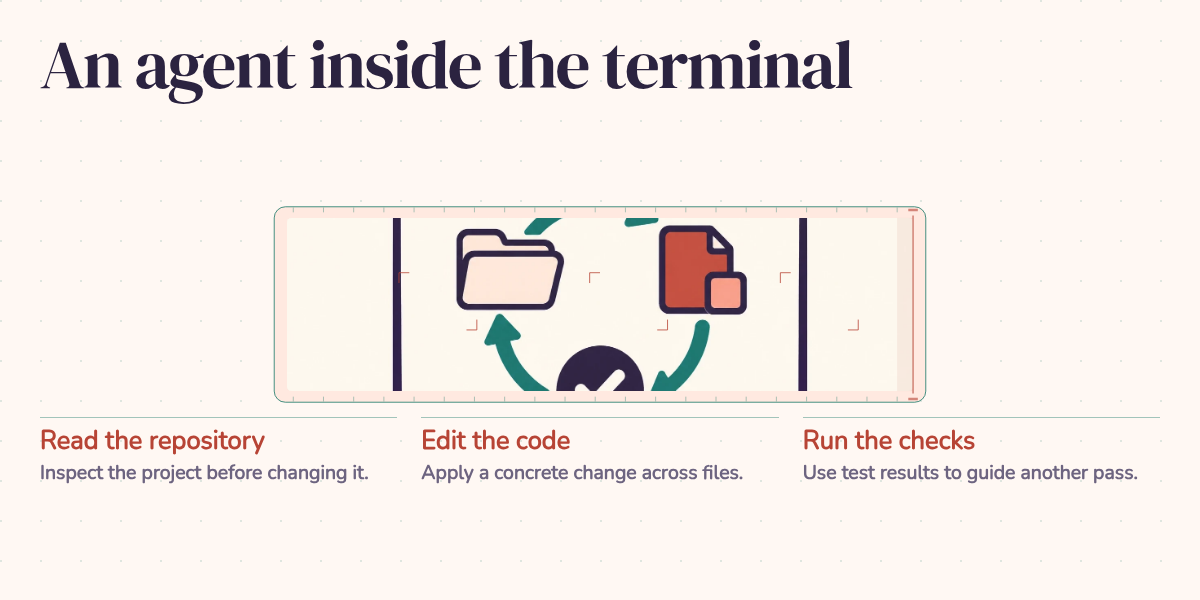
Ask a coding agent to add pagination to an API, and getting back twenty articles looks like success. But what happens on the next page? If two articles share a timestamp, a seemingly reasonable implementation can skip one. The endpoint works. The reader never sees the missing article.
That small feature is a useful way to understand Claude Code: what it can carry through a codebase, what feedback helps it correct, and what you still need to decide before accepting its work. The walkthrough below is illustrative, not a recorded run or a measurement of time saved.
Give the agent a task it can investigate
Claude Code is Anthropic's coding agent, available in the terminal. It can search a project, read and edit files, and run commands. Its documented working loop gathers context, takes action, and checks results, with opportunities for you to redirect it. Claude Code's architecture documentation describes how these steps repeat during a task.
For our example, the starting request is short:
$ claude
> Add pagination to the /api/articles endpoint. Use cursor-based
  pagination with a default page size of 20.
A cursor is a bookmark. Instead of asking for "page three," the client sends a token identifying where the previous batch ended. The server uses that position to find the next batch. What goes into the bookmark depends on how the articles are ordered.
The task reaches beyond a single function. A useful implementation may need changes to the database query, route parameters, response schema, tests, and API documentation. Before editing, the agent can inspect the existing handler and follow the project's ORM and test conventions. You can ask it to explain that path first, so you can spot a mistaken assumption before it spreads across several files.
Access is governed by the configured permissions. A terminal interface does not imply unrestricted authority to run any command. The permissions you grant are part of how you delegate the work.
The missing article problem
Suppose our illustrative endpoint sorts articles by publication time, newest first. The first implementation uses the last article's timestamp as its cursor, then asks for articles with an earlier timestamp.
Now put two articles at the same publication time, on opposite sides of a page boundary. The first page ends with one of them. The next request asks for everything earlier than that time, so it excludes the other. Changing "earlier than" to "earlier than or equal to" creates a different problem: articles can reappear.
Think of a bookmark that says "the paragraph beginning with Tuesday." That works until two paragraphs begin with Tuesday. The bookmark needs enough information to identify one position.
For this example, ordering by publication time and then by a unique article ID gives tied timestamps a consistent order. The cursor must carry both values, and the next-page query must follow the same ordering. That is the requirement I'd want established before judging the patch. Other choices, including whether ordering fields can change while a reader browses, need an explicit API policy too.
A useful test would put equal timestamps across the boundary and walk through every page. It would check that every expected ID appears exactly once. The first implementation described above would fail that test. This is a proposed verification case, not a claim that Claude Code produced or fixed this bug in a captured session.
The distinction matters because a test that merely checks "twenty records returned" would miss the problem completely. An agent can write that test, run it successfully, and have learned very little about whether pagination works.
What the loop buys you
Once a check exposes the missing article, a coding agent can use the failure output to investigate the query, revise the cursor logic, update the schema, and rerun the check. You don't have to copy each file into a chat window or apply each suggested snippet yourself. The tool can carry the edit and feedback cycle across files. Whether it reaches a correct result still depends on the task and the checks available.
In our pagination example, the human contribution starts before the final review: define stable ordering, decide which API behavior must remain compatible, and identify the case that would disprove a plausible implementation. Afterward, review whether the change meets those decisions.
This is also why I wouldn't evaluate coding tools through an autocomplete-versus-agent brand comparison. GitHub Copilot has an agent mode that chooses files, proposes edits and terminal commands, and iterates on issues. The useful distinction is how you're working at that moment:
| Aspect | Inline completion workflow | Delegated agent workflow |
|---|---|---|
| Input | Code you're currently writing | A task and its constraints |
| Scope | The next local edit | Related files needed for the task |
| Changes | You accept suggestions as you write | You review a coordinated set of edits |
| Verification | You arrange and inspect checks | The agent can run checks and react; you assess their adequacy |
| Workflow | You control the implementation step by step | You set direction and intervene when decisions need attention |
Both workflows can be useful in the same feature. Delegation is particularly attractive when the work involves a chain of related edits you can describe and verify clearly.
Give repeated rules a home
Project instructions save you from restating conventions in each request. Claude Code reads CLAUDE.md files as project context. For example:
# CLAUDE.md (project instructions)
- Use absolute imports, never relative
- All API endpoints must have OpenAPI docstrings
- Tests go in tests/ mirroring the source structure
- Never modify files in migrations/ directly
For the pagination task, those instructions point the agent toward the expected documentation and test locations. They also tell it that a migration deserves separate handling. Instructions guide the model; enforceable restrictions need tooling and permissions.
Hooks let you attach checks to lifecycle events. For example, a PostToolUse hook can run formatting after an edit, while PreToolUse can inspect or block a proposed action. Choose events and matching rules for the tools involved. A hook described as "pre-commit" still needs an implementation that identifies the relevant commit action. These mechanisms can enforce repeatable rules, but a formatter won't discover the missing article in our pagination example.
MCP connections extend the tools available to the agent. A development database connection could help it inspect the schema; an issue tracker connection could supply acceptance requirements. Each connection only provides the capabilities its server exposes and its permissions allow. For this task, the reason to connect another system is to answer a specific question the repository cannot answer.
The interface is a separate choice. Claude Code has a VS Code extension and a JetBrains integration, including IDE diff viewing. Reviewing a query change beside its tests may suit you better in an editor than in a terminal. The acceptance criteria stay the same.
A bug report still needs a diagnosis
The same workflow applies to existing code. Consider this second illustrative request:
> The /api/search endpoint returns 500 when the query parameter contains
  special characters like & or %. Fix it.
That describes a symptom. It doesn't establish whether the problem is URL construction, decoding, query handling, or something farther downstream. The agent should reproduce the failure and trace the value through the relevant code before choosing a fix. Adding "sanitization" because the input contains a special character could hide the symptom while changing what users are allowed to search for.
Existing tests and conventions help the investigation, but they cannot supply requirements nobody has recorded. A checkout bug report that identifies a deleted default address and states the intended fallback gives the agent more to work with than "fix checkout." Useful specificity describes the failing condition and intended behavior without prematurely prescribing the cause.
I would also ask for profiling when the task is performance work. An agent can run a profiler and investigate its output when the environment permits it; a cleaner-looking query alone establishes no speed improvement. Large refactors require similar care around behavior that must stay consistent across files. Those demands remain part of engineering even when someone else, human or software, types the patch.
Decide what qualifies as finished
For our pagination change, I'd accept the work after reviewing the query and cursor together, checking the equal-timestamp case, testing invalid cursors and page-size handling, and confirming the response remains compatible with its callers. The final report should identify the checks actually run and any environment that prevented a check. That gives a reviewer something concrete to assess.
Claude Code can take on the connected work of investigating, editing, and checking a feature. That makes documentation updates, regression tests, and routine changes reasonable tasks to delegate. Their value comes from completing useful work that survives review.
The pagination example explains where to put your attention: define what a complete journey through the data means, then check that the implementation delivers it. Twenty articles on the first page is easy to recognize. Knowing whether the twenty-first can disappear is the engineering judgment that makes the change worth accepting.