
 latent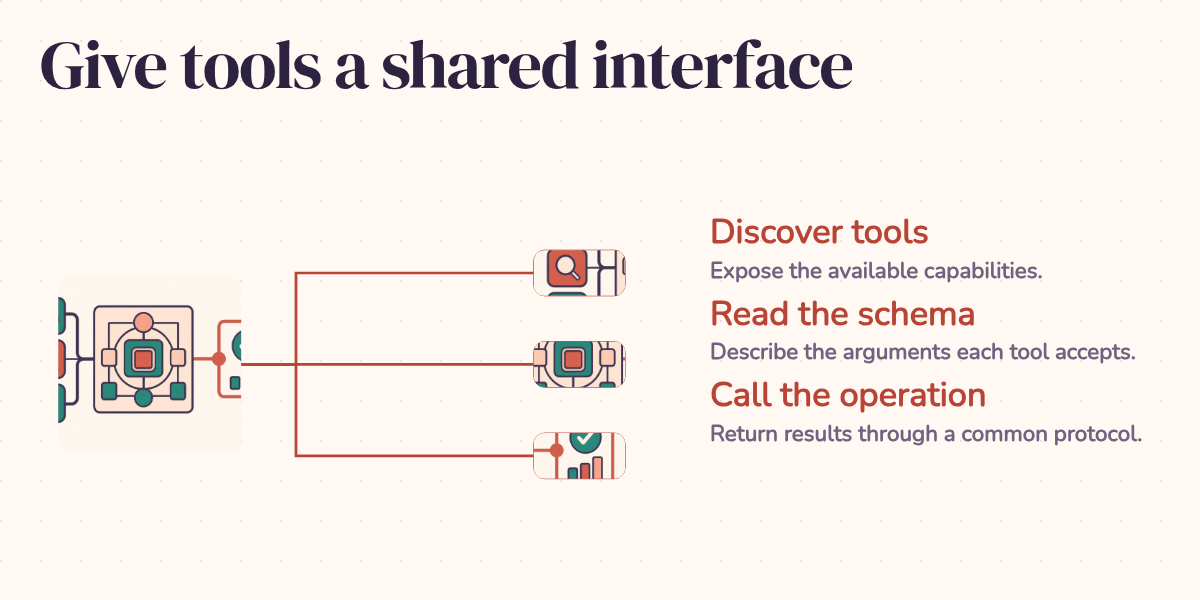
A product search works perfectly in your support assistant. Then someone wants the same search in a coding assistant. The database query hasn't changed. The permissions haven't changed. Yet you're writing another adapter so a different application can call the same function.
That repeated wiring is the problem the Model Context Protocol, or MCP, addresses. The useful promise is modest: expose the search once through a common interface, then let compatible clients discover and call it. You still own the search logic. You get to stop explaining its calling convention separately to every integration.
One tool, two clients
Consider the search_database tool below. In this illustrative setup, a support assistant uses it to find an in-stock product under a customer's budget. A coding assistant uses it to inspect the same catalog while debugging a storefront. Both can ask the MCP server for its tools with tools/list, read the search tool's schema, and invoke it with tools/call and arguments such as {"query": "wireless headphones", "max_price": 100}. The server runs the same search implementation in either case. These are the protocol's discovery and invocation operations.
This helps explain where model function calling fits. Function calling is how a model requests an action: it produces a tool name and structured arguments. MCP carries discovery and execution messages between the application and the tool server. An application can translate an MCP schema into its model provider's tool format, then route the resulting call back to MCP. Changing the model may change that translation without changing the database integration.
Think of the server as a service counter with a published menu. Different customers can use the same menu; each still decides what to order. MCP standardizes that exchange. It doesn't decide whether the assistant chose the right product search or whether the user is allowed to see the results.
Who talks to whom
The host is the AI application. It creates MCP clients to communicate with servers and decides which tools and results reach the model. The client handles the protocol connection; the server exposes the useful operations. Keeping those roles separate matters because the model itself isn't opening a database connection. The architecture specification places orchestration and consent decisions in the host.
JSON-RPC encodes the messages. The transport carries them: standard input/output (stdio) connects a local subprocess, while Streamable HTTP supports remote services. Streamable HTTP replaced the older HTTP+SSE transport and can still use Server-Sent Events for server messages. Calling all of this "SSE" hides a compatibility difference a client actually needs to know. See the transport specification.
A schema that explains the search
A tool description is part of the interface. "Search stuff" gives the model very little to work with. This schema names the database, limits the result count, and explains the available filters:
{
  "name": "search_database",
  "description": "Search the product database with filters. Returns up to 20 results.",
  "inputSchema": {
    "type": "object",
    "properties": {
      "query": {
        "type": "string",
        "description": "Natural language search query"
      },
      "category": {
        "type": "string",
        "enum": ["electronics", "clothing", "home", "books"],
        "description": "Product category to filter by"
      },
      "max_price": {
        "type": "number",
        "description": "Maximum price in USD"
      },
      "in_stock": {
        "type": "boolean",
        "description": "If true, only return items currently in stock",
        "default": true
      }
    },
    "required": ["query"]
  }
}
The reader can now see what a useful call looks like. The model can request electronics below a price limit without knowing the table names or SQL. Required fields and types also give the application something concrete to validate.
There is an easy mistake here: JSON Schema's default is an annotation, not an instruction that automatically inserts a missing value. The search implementation must apply in_stock=True when that argument is omitted. Likewise, the server must enforce the promised 20-result cap and the caller's access rights. A well-written description helps the model choose; it doesn't execute those rules for you.
If a client sends max_price: "cheap", the server should reject the invalid argument, allowing the application to ask for a number or make a corrected call. If the database times out, the result should identify the failure instead of looking like an empty catalog. These failures show where a shared protocol helps: clients can handle a defined failure without learning the database driver's quirks. Deciding whether to retry still belongs to the application.
The server side in Python
The same discovery-and-call pattern works for a weather lookup. This low-level example keeps both handlers visible so you can see what the SDK is doing. It targets the maintained Python SDK v1 line, with a dependency constraint such as mcp>=1.28,<2. The current v2 API has a migration guide; don't mix its examples with v1 decorators.
import asyncio
from mcp.server import Server
from mcp.types import Tool, TextContent
import mcp.server.stdio

server = Server("weather-server")

@server.list_tools()
async def list_tools() -> list[Tool]:
    return [
        Tool(
            name="get_weather",
            description="Get current weather for a city",
            inputSchema={
                "type": "object",
                "properties": {
                    "city": {
                        "type": "string",
                        "description": "City name, e.g. 'San Francisco'"
                    }
                },
                "required": ["city"]
            }
        )
    ]

@server.call_tool()
async def call_tool(name: str, arguments: dict) -> list[TextContent]:
    if name == "get_weather":
        city = arguments.get("city")
        if not isinstance(city, str) or not city.strip():
            raise ValueError("city must be a non-empty string")
        # Your actual weather API call here
        weather = await fetch_weather(city)
        return [TextContent(type="text", text=f"Weather in {city}: {weather}")]
    raise ValueError(f"Unknown tool: {name}")

async def main():
    async with mcp.server.stdio.stdio_server() as (read, write):
        await server.run(read, write, server.create_initialization_options())

if __name__ == "__main__":
    asyncio.run(main())
list_tools publishes the menu. call_tool dispatches the selected operation. fetch_weather is your own asynchronous API adapter and must be supplied before this skeleton can run. The city check handles a basic input error; a deployed adapter also needs to report provider failures and enforce its own access policy. The code is an interface example, not a live weather service.
The same contract in TypeScript
The equivalent example uses the v1 @modelcontextprotocol/sdk package. Both implementations expose get_weather with the same required city string. A compatible client needn't know which language runs behind the interface. Keep the package on its 1.x line for this code, or follow the TypeScript v2 migration guide when using the newer split packages.
import { Server } from "@modelcontextprotocol/sdk/server/index.js";
import { StdioServerTransport } from "@modelcontextprotocol/sdk/server/stdio.js";

import { ListToolsRequestSchema, CallToolRequestSchema } from "@modelcontextprotocol/sdk/types.js";

const server = new Server({ name: "weather-server", version: "1.0.0" }, {
  capabilities: { tools: {} }
});

server.setRequestHandler(ListToolsRequestSchema, async () => ({
  tools: [{
    name: "get_weather",
    description: "Get current weather for a city",
    inputSchema: {
      type: "object",
      properties: {
        city: { type: "string", description: "City name" }
      },
      required: ["city"]
    }
  }]
}));

server.setRequestHandler(CallToolRequestSchema, async (request) => {
  if (request.params.name === "get_weather") {
    const city = request.params.arguments?.city;
    if (typeof city !== "string" || city.trim() === "") {
      throw new Error("city must be a non-empty string");
    }
    const weather = await fetchWeather(city);
    return { content: [{ type: "text", text: `Weather in ${city}: ${weather}` }] };
  }
  throw new Error(`Unknown tool: ${request.params.name}`);
});

const transport = new StdioServerTransport();
await server.connect(transport);
Here too, supply your own asynchronous fetchWeather(city: string): Promise<string> implementation. The schemas imported from types.js identify the requests the handlers accept. The explicit argument and unknown-tool checks keep an invalid call from quietly falling through without a result.
Resources and prompts give the client more choices
An MCP server can also expose resources, such as a documentation page or a database record, for an application to read into context. This v1 Python fragment advertises an API reference:
from mcp.types import Resource
from pydantic import AnyUrl

@server.list_resources()
async def list_resources():
    return [
        Resource(
            uri=AnyUrl("docs://api-reference"),
            name="API Reference",
            description="Complete API documentation",
            mimeType="text/markdown"
        )
    ]
Listing the resource doesn't serve its contents. A corresponding read_resource handler must return the documentation when the client requests that URI. Keeping discovery and reading separate lets the application choose what context to load instead of stuffing every available document into the conversation.
Prompts are reusable templates that clients can list and request with arguments. A product database server might supply a template for comparing search results alongside its tools. Whether the application surfaces that template to its user is a client capability, so tool support alone doesn't guarantee identical resource or prompt behavior everywhere. The SDK documents these server primitives.
Sharing tools without sharing every decision
Multiple agents can reuse a database server, and one application can connect to several servers for search, files, or other services. That reduces duplicate integration work. It doesn't supply an agent coordination strategy: the host still decides which tools each agent sees, how much context to retain, and what to do after a failed call.
For a remote service, use a transport the intended clients support and implement authentication deliberately. The MCP authorization specification defines an OAuth-based flow for HTTP transports, including discovery of authorization services and access tokens intended for the MCP server. A generic API gateway login alone doesn't establish that protocol compatibility. Local stdio servers instead obtain credentials through their environment. In either case, the service behind the tool must enforce what the caller may access.
For the product search, success means both assistants can use the same search implementation, schema, and result contract. Each application still manages model integration, permissions, and the conversation around a result. That's the division I would design for: reuse the part that knows the data, and keep each application's decisions explicit. When the catalog changes, there should be one search service to fix, rather than a collection of almost-identical adapters drifting apart.