
 latent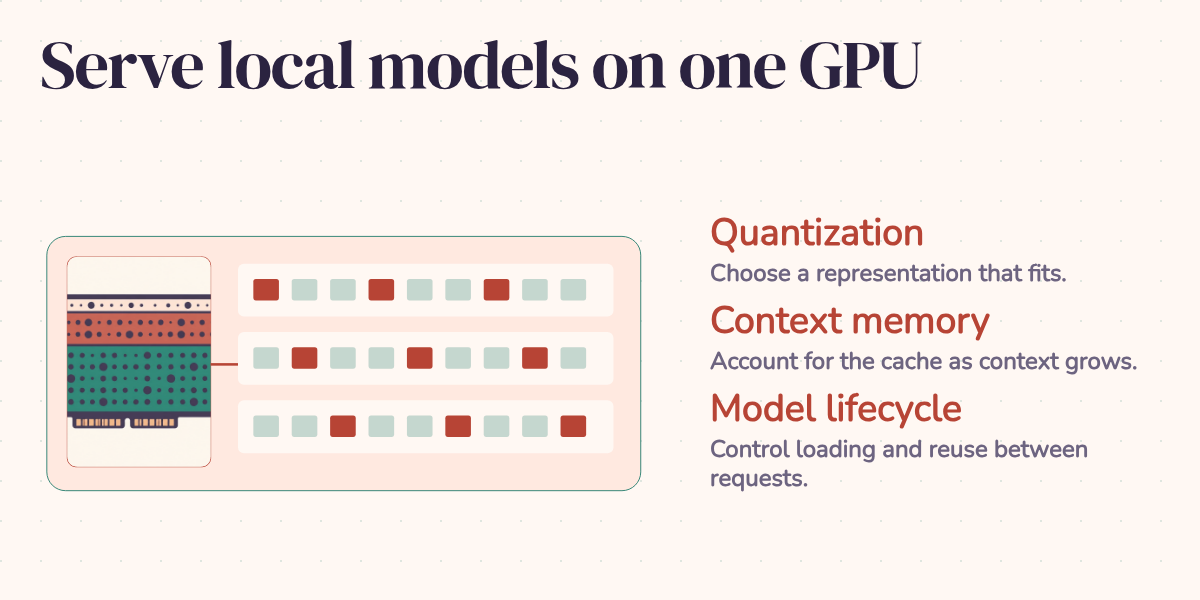
A model answers your test prompt quickly. Then you attach a long document, open a second conversation, and wonder where the speed went. The weights still fit on the GPU. The workload may not.
That distinction is where I'd start with Ollama on a single consumer GPU. Getting tokens out of ollama run establishes that the model runs. Serving an application also requires room for its conversations, a decision about how many requests can run together, and predictable behavior after an idle period. These are manageable choices once you can see what is competing for memory.
Budget for the conversation, too
Quantization stores model weights at lower precision to reduce their footprint. The tradeoff resembles choosing a smaller numeric type in a database: you save space, but first you need to know whether the discarded precision matters to the task. Available quantizations depend on the model and tag; don't assume every model has every variant.
For a first trial, I'd consider a q4_K_M GGUF where available, then compare its answers with a higher-precision version on actual application examples. Four-bit weights give a useful starting calculation: eight billion parameters times four bits is four billion bytes, roughly 4 GB. At 30 billion parameters, the same arithmetic gives 15 GB. Eight-bit storage doubles those raw estimates. Quantization metadata, tensors retained at higher precision, and runtime allocations make these estimates smaller than the complete serving footprint. They don't promise that an 8B or 30B model will fit a particular card.
Suppose, purely as an illustrative budget, you have 12 GiB of available GPU memory. Allow 5 GiB for the loaded model and 1 GiB for other runtime allocations. That leaves 6 GiB for conversation state. If one request's configured context needs 2 GiB, two simultaneous requests need about 4 GiB of that remaining space; four need about 8 GiB. The fourth slot doesn't fit, even though the model itself hasn't grown. Those are invented round numbers to explain the accounting, not measurements of a named model.
The conversation state includes the KV cache: saved attention information that lets the model continue generating without recalculating all the preceding tokens. Its size depends on the architecture, cache precision, context allocation, and parallel requests. The practical mistake is spending the whole memory budget on weights and discovering that there's nowhere left for the work.
A smaller quantized model can leave useful room for that work. Whether its answers remain good enough is a separate test. I'd judge classification errors, broken output formats, and missed instructions before deciding that a higher-precision model earns its extra memory.
Set the workload deliberately
Start with context length. Give the application enough room for its instructions, retrieved material, conversation history, and answer. A large advertised model window doesn't mean your local server has allocated that much. Set num_ctx in a Modelfile or in the native API's request options, then inspect the running allocation with ollama ps.
Ollama's dedicated context guide currently describes hardware-dependent defaults: 4k below 24 GiB of VRAM, 32k from 24 to below 48 GiB, and 256k at 48 GiB or more. Its FAQ still gives a fixed 4096-token default. That disagreement is a good reason to configure the value explicitly and inspect your installed version. Budget and test long inputs instead of assuming every retrieved passage survives the application's context handling. Context length documentation, FAQ.
Next, concurrency. OLLAMA_NUM_PARALLEL sets simultaneous requests per loaded model; OLLAMA_MAX_LOADED_MODELS limits resident models. Ollama documents defaults of one parallel request and three loaded models per GPU, subject to memory. Parallel requests increase context memory; additional models also bring their own weights. Concurrency settings.
In our illustrative 12 GiB budget, increasing parallelism from two to four spends more memory than remains. Raising a setting won't create the missing space. Try fewer slots, shorter contexts, or a smaller model, then check whether the resulting queue and response times suit the application. Use ollama ps to inspect CPU/GPU placement. Measure response times when some layers run on the CPU; the impact depends on the hardware and workload. Inspecting allocation.
Finally, decide how long a model should remain loaded. Ollama documents a five-minute idle lifetime. OLLAMA_KEEP_ALIVE changes the server default; native API keep_alive overrides it per request. Negative values request continued residency, while zero unloads after generation. Model lifetime settings.
For an interactive service dedicated to one model, I'd use a long keep-alive and test the first request after a restart separately from warm requests. Keeping weights resident avoids routine reloads, but it also reserves space another model might need. In the example budget, keeping the 5 GiB model warm is a deliberate commitment. It doesn't remove the 6 GiB limit on conversation state.
Run the server under systemd or Docker and keep its configuration under version control. Record the model tag and Ollama version with it. An environment variable exported in a forgotten shell is a poor explanation for why two servers behave differently.
Serve your fine-tune with the same discipline
A fine-tuned model adds another question: did the behavior you evaluated during training survive the serving path? The memory budget still applies, and so do the model's architecture and format requirements. A GGUF extension alone doesn't guarantee compatibility.
Ollama can import supported Safetensors models directly, or load a GGUF prepared and quantized with tools such as llama.cpp. Conversion is therefore one path, not a mandatory step for every checkpoint. Model import instructions.
For a LoRA fine-tune, plan to merge the adapter into its matching base model before import, using a merge supported by the training tools. PEFT documents merging LoRA weights into the base. Ollama's current upstream creation handler rejects separate adapters, so the older ADAPTER recipe should not be assumed to work on a current installation. PEFT LoRA documentation, Ollama creation handler.
For example, after exporting a compatible merged ticket classifier to tickets-merged.gguf, the Modelfile can retain the original serving choices:
FROM ./tickets-merged.gguf
PARAMETER num_ctx 8192
PARAMETER temperature 0.3
SYSTEM You classify support tickets. Answer with the category only.
Run ollama create tickets -f Modelfile, then ollama run tickets. The example assumes that you've already produced the merged model; those commands do not train or merge it.
The Modelfile is a useful place to keep model configuration together: weights, decoding parameters, system prompt, and any required chat template. Check the template against the format used during training. Role markers and separators frame the input the model receives; changing them can change the behavior even when the weights are correct. Inspect the generated configuration with ollama show --modelfile tickets and rerun held-out examples through the actual serving endpoint. Modelfile reference.
For a ticket classifier, that means checking the returned category against known answers after merging, quantization, and import. I'd consider fine-tuning when a stable behavior needs improvement. For changing documents, retrieval gives you a direct way to supply current material. A smaller tuned model earns its place through those task results; its parameter count alone says nothing about whether it beats a larger prompted model.
Make the endpoint earn its place
Ollama offers an OpenAI-compatible API under /v1. For supported calls, point the SDK at http://localhost:11434/v1, choose your local model name, and supply a placeholder API key such as ollama, which the local server ignores. Compatibility covers a subset of the API, so verify the endpoints, parameters, tools, and response handling your application uses. A matching request shape doesn't establish matching capabilities. OpenAI compatibility reference.
That shared interface can make local-versus-hosted routing easier. I'd route only after checking both task quality and data requirements, then measure the full request with realistic input lengths. A short prompt to a warm model leaves most of the interesting questions unanswered.
Ollama is a reasonable starting point when a single GPU meets your application's quality and latency needs at the required concurrency. If requests queue too long despite a sensible memory budget, compare a throughput-oriented server such as vLLM on the same workload. Its continuous batching and PagedAttention are designed to improve serving efficiency under concurrent load. vLLM documentation.
The decision comes down to the service you can actually deliver: acceptable answers, enough context, tolerable waits during bursts, and an understood cold start. Once those conditions hold, a local model, including your own fine-tune, becomes an endpoint your application can depend on. The model fitting in memory was only the first of those conditions.